
Hublok Guide
Can Smart Lockers Use Existing HID Cards and Mobile Credentials?
Existing HID cards, fobs and mobile credentials can often be reused for lockers, but credential technology, reader support, security configuration and the desired integration must be confirmed.
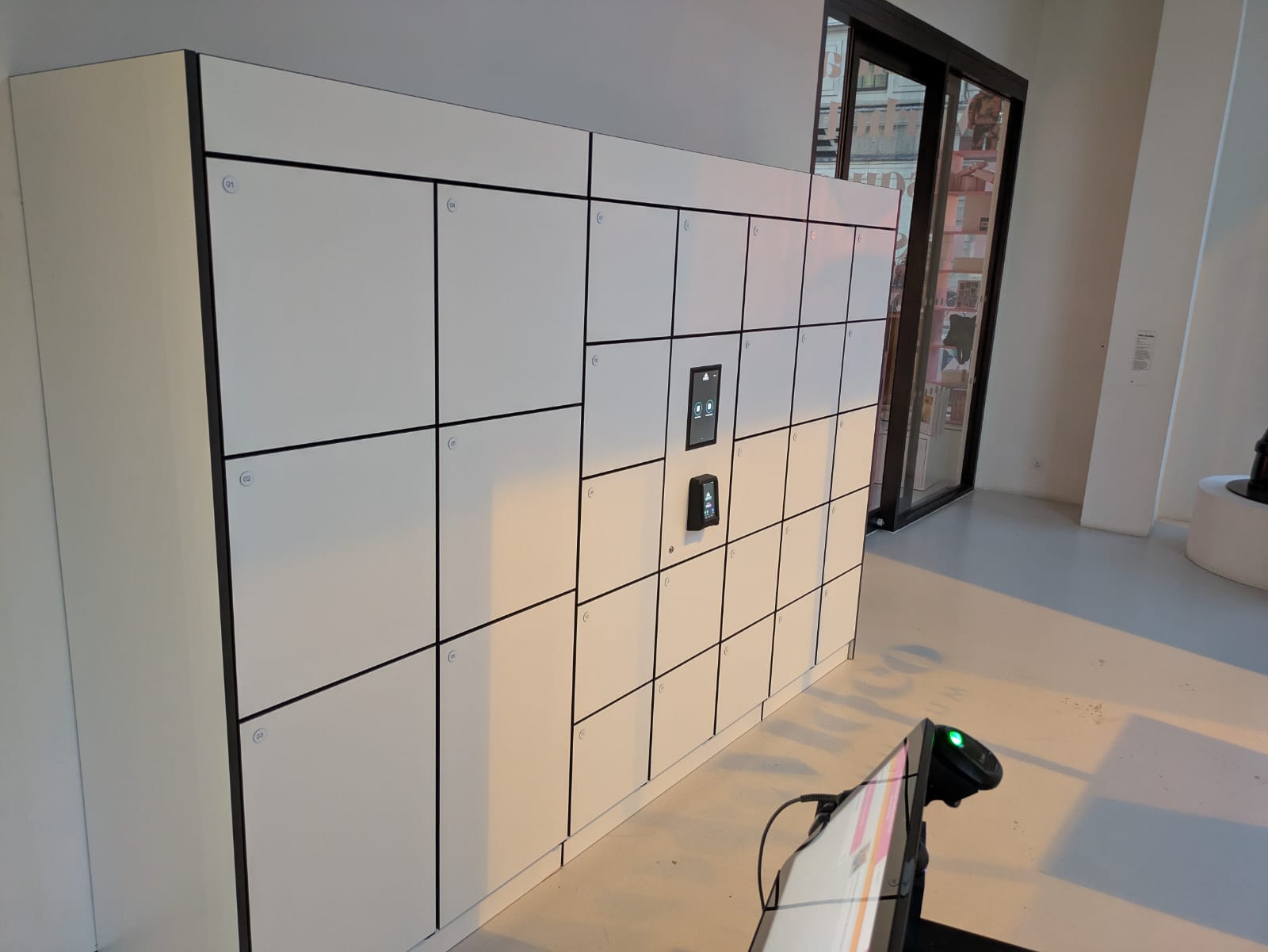
If employees already use an access card or their mobile phone to enter the workplace, one of the obvious questions when introducing smart lockers is:
Can we use the same credential for the lockers?
In many cases, yes.
A smart locker system can often be configured so an employee uses the same HID card, fob or mobile credential they already use elsewhere in the building to identify themselves at the lockers.
That can make the user journey much simpler. Employees do not need another key, PIN or separate locker card, and facilities teams avoid introducing an additional physical credential purely for storage.
There is, however, an important qualification:
“We use HID” does not automatically mean that any HID reader can read any existing credential.
The credential technology, reader specification, security configuration and required integration all need to be understood before the system is specified.
What does “HID card” actually mean?
HID is widely used for physical access control, but an “HID card” is not one single technology.
An organisation may be using credentials based on technologies such as:
- HID Prox
- iCLASS
- iCLASS SE
- Seos
- MIFARE Classic
- MIFARE DESFire
- Multi-technology credentials
- HID Mobile Access
Current HID reader families support different combinations of these technologies, so the exact credential being used matters.
Two cards may look almost identical while communicating with a reader in completely different ways.
This is why, at the start of a project, we normally want to establish what credential technology is actually deployed, rather than simply being told that the building uses HID.
Can the same employee card open a smart locker?
Often, yes.
The basic principle is straightforward.
When an employee presents their access card to the locker reader, the system uses that credential to identify the user. The locker software can then determine which locker or locker functions that person is authorised to use.
Depending on the locker configuration, presenting the card could:
- Open a permanently assigned locker
- Allow the user to select an available locker
- Automatically allocate an available locker
- Open a previously booked locker
- Display the user's current locker
- Allow access to a parcel or item waiting for collection
- Authorise access to shared equipment or assets
The important distinction is that the same credential can identify the person without the locker system necessarily behaving as part of the building's door-access system.
The employee can therefore have one card but different permissions and workflows depending on where they use it.
Metra, Hublok's smart-locker technology partner, has deployed systems where employees use existing HID access cards and HID mobile credentials for locker access. One Transport for NSW deployment described by Metra covers more than 15,000 lockers across multiple buildings and sites.
Does the locker system have to integrate with the building access-control system?
Not necessarily.
This is an important distinction.
There are broadly two things to consider:
1. Using the same credential
The locker system reads the employee's existing credential and uses it as their identifier.
This does not necessarily require the locker system to communicate directly with the building's door-access platform every time somebody uses a locker.
The physical credential is simply the common method of identifying that employee.
2. Integrating the user systems
A project may go further and integrate the locker platform with another system so that employee information, permissions or status can be synchronised.
Depending on the project, this might involve:
- Access-control systems
- Employee directories
- Identity-management platforms
- HR systems
- Workplace applications
- Desk-booking platforms
- Building-management platforms
The right approach depends on what the organisation wants to achieve.
Reusing an existing card does not automatically mean a complex integration project is required.
Equally, where automated onboarding, offboarding or permission management is required, an appropriate integration can make the system considerably easier to administer.
What needs to be checked before reusing existing cards?
Before specifying the locker reader, we would normally establish several things.
Credential technology
First, identify exactly what type of credential employees currently carry.
For example:
“HID Seos”
is much more useful information than:
“We have HID cards.”
If the organisation is unsure, its security or access-control team, incumbent integrator or card supplier can normally help identify the credential technology.
Existing reader technology
It is also useful to understand which readers are already installed around the building.
This can give an indication of the credential technologies and configurations in use.
It does not, however, mean the identical reader model necessarily has to be fitted to the lockers.
The locker reader needs to be selected around the credential, required user experience, physical design and overall locker architecture.
Credential configuration
The technology printed on the product specification is only part of the story.
Secure credential systems can use particular applications, encryption keys and configuration settings.
HID's current reader platforms can be configured to enable or disable particular credential technologies and can also manage authentication keys.
This is why credential compatibility should be confirmed rather than assumed.
How the user will be identified
The project also needs to establish what information the locker system will use to recognise the individual.
The objective is normally to create a reliable relationship between:
Credential → User → Locker permission
The precise implementation depends on the credential and integration architecture.
What about card serial numbers and UIDs?
This is an area where it is worth being careful.
Some RFID credentials can expose a card serial number or UID that a compatible reader can detect.
That does not necessarily mean reading that value is equivalent to using the credential's full secure authentication capability.
For example, HID's own specifications distinguish between credential technologies that are fully supported and some configurations where MIFARE credentials may be read using their CSN/UID.
For a new project, the authentication method should therefore be agreed with the client's security requirements rather than simply selecting whichever identifier is easiest to read.
This is particularly relevant in workplaces with established corporate security standards.
Can we use HID Mobile Access instead?
Potentially, yes.
If an organisation already uses HID Mobile Access, employees may be able to use their smartphone as their locker credential as well as for building access.
HID Mobile Access uses compatible mobile-ready readers and digital credentials rather than requiring the user to present a conventional plastic access card. HID states that its Signo readers support HID Mobile Access, while compatible mobile-ready iCLASS SE readers can also support the platform.
Metra has also implemented workplace locker projects where employees can use the HID Mobile Access app to access their lockers.
From the user's perspective, this can create a very simple experience:
Arrive at work → use phone for building access → use the same mobile identity for the locker.
Does using HID Mobile Access require another app?
Not necessarily, but this depends on the client's existing HID environment.
HID supports mobile credentials through its Mobile Access ecosystem, and current HID options include credentials accessed through the HID Mobile Access application, integrations into corporate applications and supported digital-wallet experiences.
The important point for a locker project is that mobile access should be considered as part of the overall corporate credential strategy, rather than introducing another unrelated locker app simply because the lockers are smart.
If an organisation has already invested in mobile access, it makes sense to investigate whether that credential can also form part of the locker user journey.
Can cards and mobile credentials be used together?
Yes, subject to the selected hardware and configuration.
This can be particularly useful during a transition from physical cards to mobile credentials.
An organisation might, for example, have:
- Existing employees using physical cards
- New employees moving onto mobile credentials
- Contractors continuing to use cards
- Visitors using another temporary access method
Compatible HID reader platforms can support multiple credential technologies, including combinations of physical and mobile credentials.
This means a locker system does not necessarily need to force every user onto a new credential format at the same time.
A phased approach may be possible.
What if the organisation plans to change its access-control technology later?
This is worth discussing at the specification stage.
Many organisations are gradually moving away from older credential technologies towards newer secure smart-card or mobile-access systems.
If a locker estate is expected to remain in service for many years, specifying its credential reader purely around today's legacy card can create unnecessary restrictions later.
Instead, it may be sensible to consider:
- Current credential technology
- Planned access-control upgrades
- Mobile credential strategy
- Required security level
- Reader upgradeability
- Multi-technology support
- Future employee authentication methods
HID itself positions several of its reader and credential products around migration between legacy and newer credential technologies.
The locker system should form part of that conversation.
Do smart lockers need their own access cards?
Generally, we try to avoid introducing another credential unless there is a genuine reason to do so.
Consider an employee who already has:
- A building access card
- Laptop credentials
- A workplace booking app
- A mobile phone
- Possibly an employee ID
Giving that person a separate locker card simply creates another item to issue, manage, replace and eventually recover.
Where technically and commercially practical, using an existing corporate credential usually creates a cleaner experience.
What happens when an employee leaves?
This depends on how user management has been designed.
In a basic configuration, the employee's locker account and credential association can be disabled within the locker management system.
In a more integrated environment, onboarding and offboarding processes can potentially be linked to an authoritative employee or identity source.
This is one of the reasons it is worth discussing integration requirements at the beginning of the project.
For larger estates in particular, facilities teams should not have to manually maintain multiple unrelated employee databases if the process can sensibly be automated.
What information should we provide when asking Hublok about HID integration?
You do not need to arrive with a complete technical specification.
The following information is helpful if available:
- Existing access-control platform
- HID reader models currently installed
- Credential/card technology
- Whether physical cards, mobile credentials or both are used
- Whether HID Mobile Access is already deployed
- Whether there are custom security keys or credential configurations
- Approximate number of locker users
- How users should be allocated lockers
- Whether employee data should be synchronised from another platform
- Whether cards need to work offline or online
- Any planned access-control or mobile-credential migration
If some of this information is unknown, it can be established during the technical design process.
A practical example
Consider a workplace where employees already use an HID credential to enter the building.
The organisation is introducing flexible smart lockers for hybrid working.
Rather than issuing another locker credential, the system could be designed so the employee presents their existing corporate credential at the locker bank.
The locker platform identifies the employee and checks their locker status.
If they already have a locker:
their assigned locker opens.
If they do not:
the system can allocate or allow them to select an available locker.
When their permitted usage period finishes, the locker can be released according to the organisation's chosen rules.
The employee continues carrying the same credential they already use.
The technology behind the locker has changed considerably, but from the employee's perspective the experience remains simple.
The important question isn't simply “Is it HID?”
When discussing existing credentials, the most useful question is not:
“Do you use HID?”
It is:
“Which HID credential technology are you using, how is it configured, and how would you like that identity to interact with the lockers?”
Once those points are understood, the appropriate reader, user-management approach and integration architecture can be established.
In many projects, existing building credentials can become part of the smart-locker system without asking employees to adopt an entirely separate method of access.
And where an organisation is moving towards mobile credentials, the locker estate can be considered as part of that wider access strategy rather than being left as an isolated system.
Planning smart lockers around your existing access credentials?
Hublok can work with your workplace, IT and security teams to understand the credential technologies already in use and establish the most appropriate approach for cards, mobile credentials and user integration.
You do not need to specify the reader before speaking to us. Knowing what you currently use is a good place to start.
Let’s Talk